

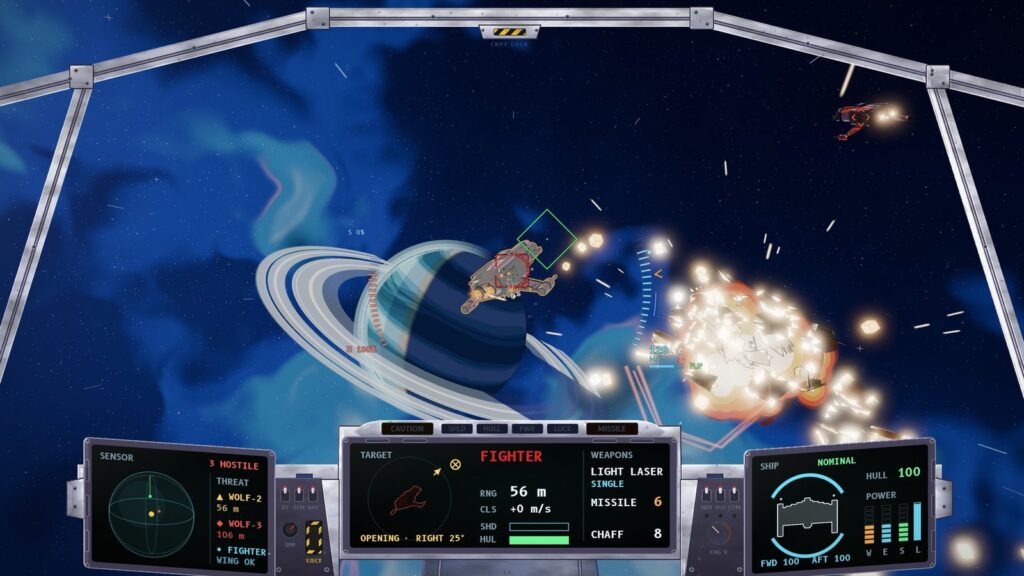
In Tern Zer0 you fight from inside the cockpit. Every bit of frame I draw is space you cannot see, and every number on the panel has to be readable in the half second you can spare to look at it. This is how the cockpit of the F/R7 Tern works now.
Rules I borrowed
Before I drew anything I looked at how other games and real aircraft solve the same problem. Colour follows aviation practice: red is danger or hostile, amber is a caution, green means fine, cyan means selected or friendly, and white is a value. Text on the displays is 16 to 26 pixels at 1080p, bright symbols on dark glass, because accessibility guidelines ask for at least 18 pixels for body text and a high contrast.
The cockpit is also a “dark cockpit”: the warning lights stay dark while everything is fine, so the moment one lights up, you notice it.
Three displays, three jobs
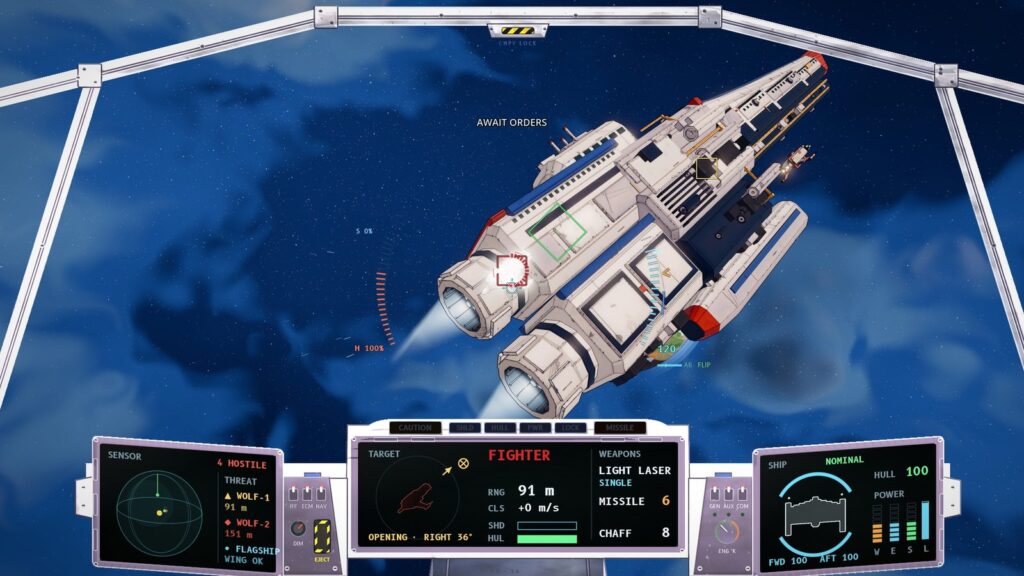
- Sensor, on the left, has the 3D radar sphere, a count of hostiles, the two nearest threats with their range, and your nearest wingman.
- Target, in the middle, shows the target’s own 3D model as a small hologram, turned the way you see it. Next to it are range, closing speed, shields and hull, and a line that tells you whether the target is closing, opening or crossing, and to which side. Your weapons sit on the right of the same display: the selected gun and its link mode, missiles and chaff.
- Ship, on the right, shows your fighter from above, coloured by hull state, with front and rear shield arcs, hull percentage and power: weapons, engines and shields, plus the laser charge.
Above the middle display, along the glareshield, are the warning lights: CAUTION, SHLD, HULL, PWR, LOCK and MISSILE. MISSILE blinks red when a missile is on its way to you.
When it goes wrong
Damage shows on the canopy itself. Stress cracks start at the edge of the glass, perpendicular to the frame, the way they do in real glazing. They appear as the hull drops to 50%, 30% and 15%, grow across the glass over about a second and a half, and bend the view behind them. The central sight stays clear.
Not only the Tern
The Tern is not the only ship you fly in the campaign. The I/L4 Nightjar interceptor and the B/T2 Bustard heavy bomber each have their own cockpit, but the three displays and the warning lights are the same in all of them, so you never have to relearn where to look.
None of this is finished. But the test I care about passes: you can glance at the cockpit for half a second and know who is shooting at you.